Best Gym Digital Signage Software: Price & Setup
Compare the best digital signage software for gyms by price, class schedules and screens that turn off after closing.
The best digital signage software for a gym depends on whether you need class-schedule and promo screens, or one free screen to start. Brix fits a gym that wants a class schedule and promos on screens with an auto-off after closing (Screen hours). Brix costs $6 per screen per month billed annually, or $8 billed monthly, with a 7-day free trial and no card needed.
Which is the best digital signage software for a gym?
Compare the three options gym owners search for most, by what a gym actually needs:
| Brix | OptiSigns | PosterBooking | |
|---|---|---|---|
| Price | $6/screen/month billed annually, or $8 monthly | $9/screen/month billed annually, or $10 monthly (Standard plan) | Free for up to 10 screens (with a watermark), then $6.49/screen/month |
| Best for | A gym that wants class schedules and promos on screens that switch off by themselves after closing | A gym that wants the widest app store and already owns Fire TV Sticks | A single gym on a tight budget, 10 screens or fewer |
| Screens off after closing | Yes, on every plan (Screen hours) | Needs the Pro Plus plan ($13.50 to $15/screen/month) for Auto Power On/Off TV | Not stated on its pricing page |
| Watch out for | No connector to a booking system such as Mindbody, and no cable TV | Auto restart only on lower plans; the power schedule costs more | Its own "best gyms for digital signage" list, on posterbooking.com, ranks itself first |
OptiSigns' own gym page names real-time class schedules and trainer availability as a strength, and a daily auto restart to keep screens stable, but does not mention a screen power schedule at all. See the full price table below for the one-time hardware cost on top of any of these, or the best digital signage software for a comparison that is not gym-specific.
What should a gym show on its screens?
Show what members would otherwise ask the front desk, then what you want them to buy.
- Today's classes. Time, class, instructor and room, with the class on now highlighted. This is the screen members read most.
- Changes today. A cancelled class or a substitute instructor, posted in the morning, not on a sheet taped to the door.
- Offers. Personal training packs, refer-a-friend, a new-member rate, a supplement or drink at the juice bar.
- Challenges and progress. A monthly challenge with a running total, a member milestone, a coach spotlight.
- Motivation. A rotating line from members or coaches on the floor screen, changed by typing, not by reprinting a poster.
- Form and safety. How to set up a machine, where the cleaning spray is.
- Hours and holiday times. Open and closed times for the week, and changes for a public holiday.
Keep each slide to one message a member can read in five seconds, while walking or between sets.
Where should the screens go?
In order of return on the first dollar:
- Check-in or lobby. Every member passes it. The day's classes and one offer.
- Studio door. That room's classes, and the next one with a countdown. Members read it while they wait.
- Cardio or weights floor. The longest attention in the building. Challenges, offers, form tips and hours.
- Juice bar or supplement fridge. One screen that sells what is next to it.
Avoid locker rooms (privacy, steam) and mirror walls where glare washes the picture out. Mount floor screens high enough to be seen over racks and machines, and tilt them down.
What hardware does a gym need?
- The TV. 43 inches for a lobby or studio door; 55 inches or larger for the floor. A plain TV works. A commercial display costs more but is rated to run all day, which a home TV's warranty often does not cover.
- A media player. The small box or stick behind the TV that plays the content. The Amazon Signage Stick costs $99.99 and is built for signage. An Android box such as the Walmart onn. 4K costs $39.98. A BrightSign player costs from $380 (list prices on each maker's store, September 2026).
- A wired connection where you can. Gym Wi-Fi carries every member's phone and music stream, and shared Wi-Fi is the most common reason a screen freezes. Amazon's micro-USB Ethernet Adapter for the Signage Stick costs $14.99. Pick software that stores content on the player, so the screen keeps playing if the network drops.
Screens can reuse TVs you already own.
What should gym digital signage software do?
Judge any option against this list, not just its price:
- Show a class schedule that highlights the current class, from a typed list or a spreadsheet the front desk already edits.
- Day-part it. Show early-morning offers at 6:00 am and evening classes after 4:00 pm, without anyone pressing a button.
- Update from a phone. The person who hears a class is cancelled is rarely at a desk.
- Run several screens and sites from one login, with each club manager seeing only their own screens.
- Target one screen position across every club at once, so a new offer on every studio-door screen goes out in one update, not one club at a time.
- Turn the TVs off when the gym closes and back on at opening, with no extra plan or add-on needed for it.
If your signage software does not connect to your booking system, keep the week's classes in a shared Google Sheet that the software reads, or a calendar feed (iCal) if your booking system exports one. The front desk edits one source and every screen follows.
What does it cost for a typical gym?
For a 3-screen gym (check-in, studio door, floor), using TVs you already have:
| Item | One time | Per year |
|---|---|---|
| 3 media players (Signage Stick at $99.99) | $300 | |
| 3 Ethernet adapters (optional) | $45 | |
| Software at $6 to $30 per screen per month | $216 to $1,080 |
Software prices vary widely. Yodeck lists $8 to $16 per screen per month and OptiSigns $10 to $45 (their pricing pages, September 2026). See how much digital signage costs for the full breakdown, including hardware.
Mistakes gyms make with screens
- A schedule that is out of date. A screen showing last week's timetable does more harm than no screen. Put the schedule where the person who changes classes can edit it.
- Consumer streaming sticks on guest Wi-Fi. Home sticks boot to a streaming home screen that staff and members can wander into, and guest Wi-Fi drops them.
- Expecting signage to replace live TV. Cable news or sport on the cardio floor comes from a TV subscription or an IPTV service, not from signage software. Use separate screens for each.
What does Brix add for a gym?
Brix is signage software that runs on the Amazon Signage Stick, Fire TV, Android boxes and Windows PCs. It costs $6 per screen per month billed annually, or $8 billed monthly, so the 3-screen gym above pays $216 a year. There is a 7-day free trial with no card.
- Class schedule. The Agenda app shows one class per line and highlights the one on now. Type the classes, or connect a Google Sheet or CSV file with the columns Time, Title and Location.
- Challenges. The Goal Tracker app shows progress toward a total. Staff add to it by scanning a QR code on the screen with a phone. The Countdown app counts down to an event.
- Motivation. The Quotes app rotates a line on a timer. Type your own, one per line, or leave it blank for the built-in set.
- Coach and member spotlight. The Spotlight app shows one person with a name, a role and a message, for a coach of the month or a member milestone.
- The juice bar. The Menu Board app shows prices from a Google Sheet, a CSV file, or your point of sale. Brix connects to Toast, Square and Clover; our team sets up the connection with you. Talk to us.
- Reviews on screen. The Google Reviews app shows your Google Business star rating and recent reviews.
- Screens with an auto-off after closing (Screen hours). A new screen follows Standard hours, 6:00 am to 11:00 pm, and the Signage Stick turns the TV off outside them. A 24-hour club sets Always on. This is on every plan, with no upgrade needed. See screen settings and display power.
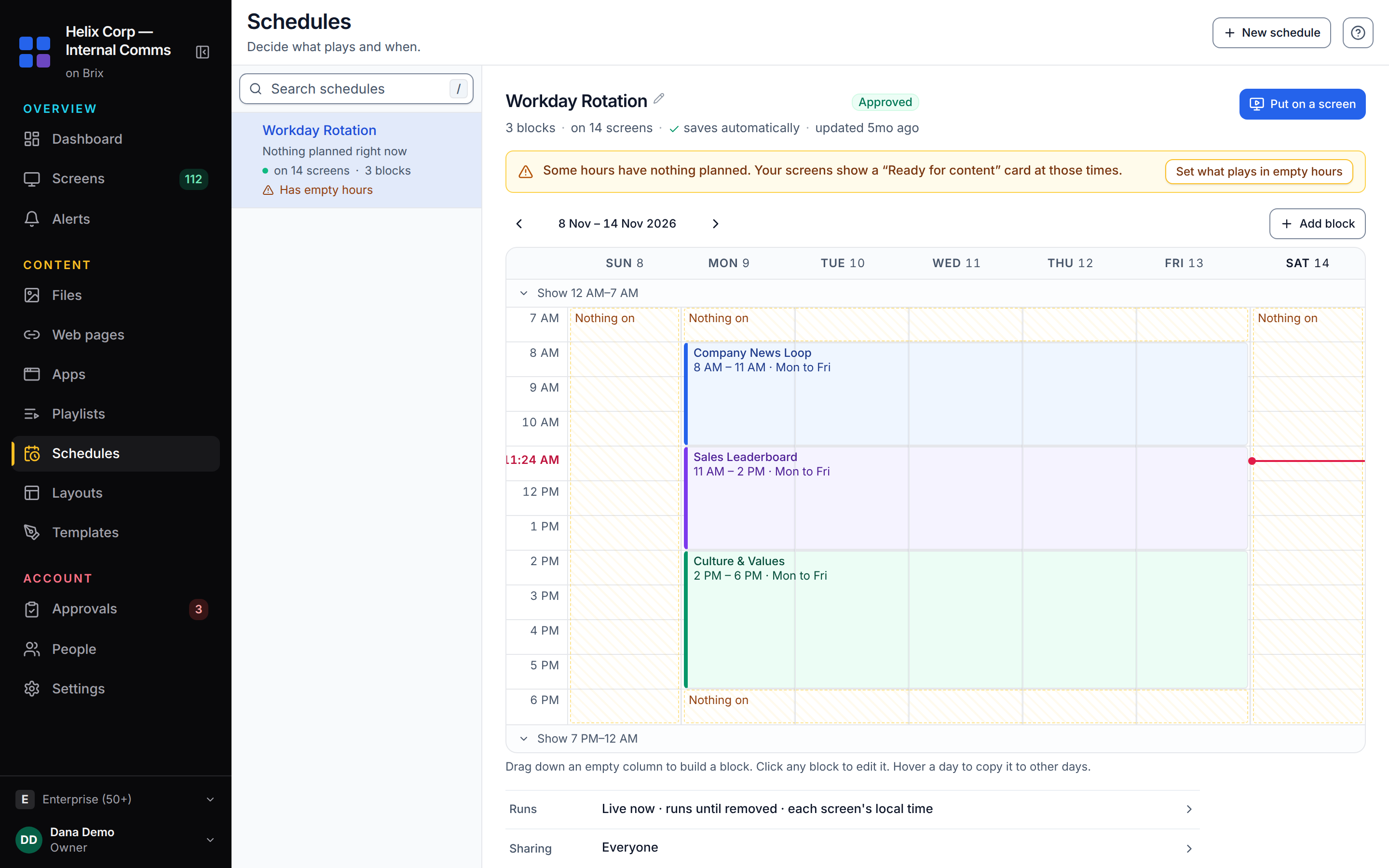
- Several clubs, one update. Roles give each club manager only their own screens. Tag every studio-door screen across every club, then set one item in a playlist all the clubs play to Only screens tagged with that tag, so the offer reaches all of them at once.
- Offline. Content is stored on the player, so it keeps playing when the Wi-Fi drops.
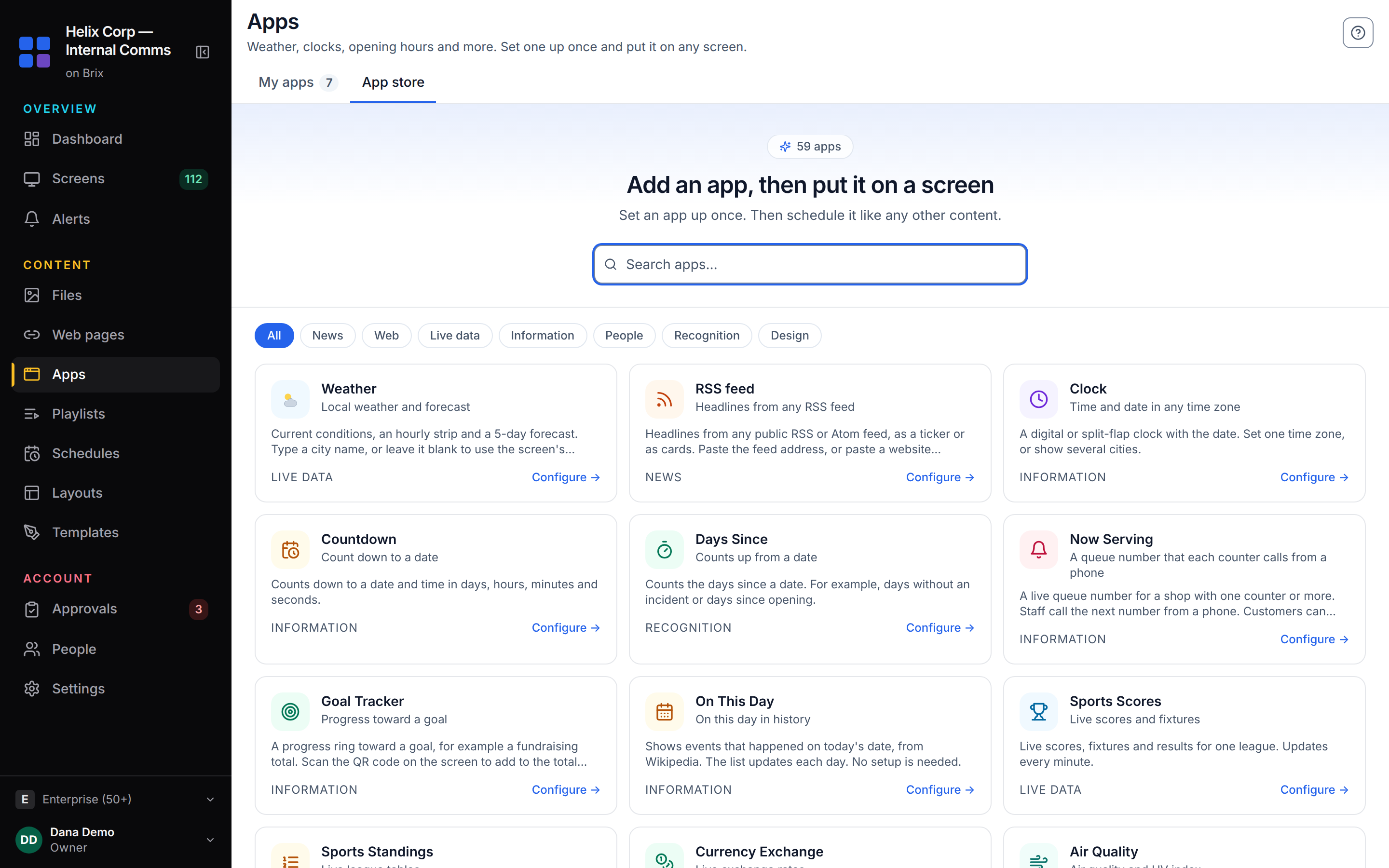
Setup takes about 10 minutes per screen: plug the stick into the TV, pick "Brix Signage" during its setup, then pair it in the CMS under Screens > Add screen > Pair a hardware device.
Brix does not connect to gym booking systems such as Mindbody, and it does not play cable TV. If you want class bookings to flow onto the screen with no spreadsheet in between, pick a signage product that lists your booking system as an integration.
Start your free 7-day trial. No card needed.
FAQ
Is Brix the best digital signage software for a gym?
For a gym that wants class-schedule and promo screens that turn off by themselves after closing, at a fixed per-screen price, yes. A gym that needs a native connector to a booking system such as Mindbody, or cable TV on the same screen, is better served by a different vendor.
Can gyms sell screen space to sponsors or supplement brands?
Yes. Running a sponsor's slide is no different from running your own offer. If the deal needs proof the ad ran, use proof of play, which records the time of every play. In Brix, proof of play is included and off by default. Turn it on at Settings → Organization → Feature defaults.
Do personal training studios need different signage than a full gym?
A personal training studio usually needs one screen at the door: the day's session list and one offer. A full gym with several areas needs a screen in each one; see "Where should the screens go?" above.
Can a multi-location gym chain push one update to every studio-door screen at once?
Yes, if the software lets you tag screens and target content by tag. Brix does. Tag every studio-door screen the same way across every club, then set one item in a playlist every club plays to Only screens tagged with that tag. Every screen with the tag plays it, with no club-by-club editing.
How much video and photo storage does a gym screen need?
Most signage players cache content locally so it survives a dropped connection. On the Amazon Signage Stick, Brix lets content use up to half of the player's storage, and never less than 1 GB. A typical Stick in Brix's own fleet has about 10.7 GB free (median).
Put Brix on your screens
Live in about 10 minutes. One plan: $6/screen/month billed annually ($8 month to month). No credit card to try.
Start Free TrialBrix for other industries