A business buys the Amazon Signage Stick on Amazon: $99.99 for one, $94.99 each for 10 or more, $92.99 each for 50 or more. Amazon limits purchases to 50 Sticks. For a larger rollout, contact Brix and we can get the limit raised for you through our contacts at Amazon.
The Stick is a one-time purchase. The signage software on it is a separate subscription, and over three years it costs more than the Stick.
What Signage Sticks cost at 1, 10, 30 and 50 screens
The table uses Amazon's US quantity prices and Brix at $6 per screen per month, billed annually.
| Screens | Sticks | Brix for a year | Year one |
|---|---|---|---|
| 1 | $99.99 | $72 | $171.99 |
| 10 | $949.90 (10 × $94.99) | $720 | $1,669.90 |
| 30 | $2,849.70 (30 × $94.99) | $2,160 | $5,009.70 |
| 50 | $4,649.50 (50 × $92.99) | $3,600 | $8,249.50 |
- The table covers the Stick and the software. A TV with a free HDMI port, a mount and an HDMI cable are separate.
- Wired network: add Amazon's micro-USB Ethernet Adapter, $14.99 for each Stick. The Stick has no Ethernet port.
- On monthly billing, Brix is $8 per screen per month.
- Over three years, one screen costs $315.99: $99.99 for the Stick and $216 for the software.
See the Amazon Signage Stick price for other countries and other screen counts.
Is there a volume discount for a business?
Yes.
- Quantity prices: $94.99 each for 10 or more Sticks and $92.99 each for 50 or more, against $99.99 for one. This is Amazon's volume discount for business buyers. It is one discount, not two. An Amazon Business account is free to create.
- 100 or more Sticks: contact us. We can help you get a better price.
The buying limit: 50 Sticks
Amazon limits how many Signage Sticks a buyer can purchase. The limit is 50. You can place one order of up to 50 Sticks on Amazon Business.
To buy more than 50, the limit has to be raised. Contact Brix, and we can get it raised for you through our contacts at Amazon. See the Amazon Signage Stick quantity limit for the steps.
Buy before January 7, 2027
Amazon raises the US price of the Stick from $99.99 to $174.99 on January 7, 2027. That is $75 more for each Stick. Amazon has not said what the quantity prices are after that date. See the Amazon Signage Stick price increase.
One free test Stick for a rollout of 30+ screens
Rolling out 30+ screens? Amazon gives you a free Signage Stick to test Brix. We arrange it.
It is one Stick, for the test. You buy every other Stick in the rollout at Amazon's price. No Brix plan includes a Stick. See how to get the free test Stick.
How a business rolls out Signage Sticks
- Test one Stick first. Set it up on a TV you have. Setup takes about 10 minutes: pick "Brix Signage" during the Stick's own on-screen setup, then pair it in the CMS at Screens > Add screen > Pair a hardware device.
- Check the network with IT. The Signage Stick network requirements list what to allow.
- Order the rest on Amazon Business. For more than 50 Sticks, contact Brix first.
- Manage every site from one sign-in. See how to manage multiple Signage Sticks.
A setup problem on the first Stick is cheap to fix. The same problem on 30 Sticks is not.
What software does a business need on the Stick?
The Stick plays nothing by itself. Signage software (a CMS) holds the content, the schedule and the screens. Check a CMS against this list:
- It is in Amazon's CMS directory. The directory lists the software that runs on the Stick.
- It has the Remote Management label there. Brix has it. With Brix, you turn the TV on and off, restart the Stick and take screenshots from the office.
- One sign-in covers every site.
- It bills the way your finance team pays.
- It has a free trial. The Brix trial is 7 days and needs no card.
For a comparison by feature and price, see the best CMS for the Amazon Signage Stick.
Pay by invoice, with one invoice for each site
Brix bills by card or by invoice. A business with screens in more than one place can bill each site to its own finance contact: Settings → Billing → Billing groups.
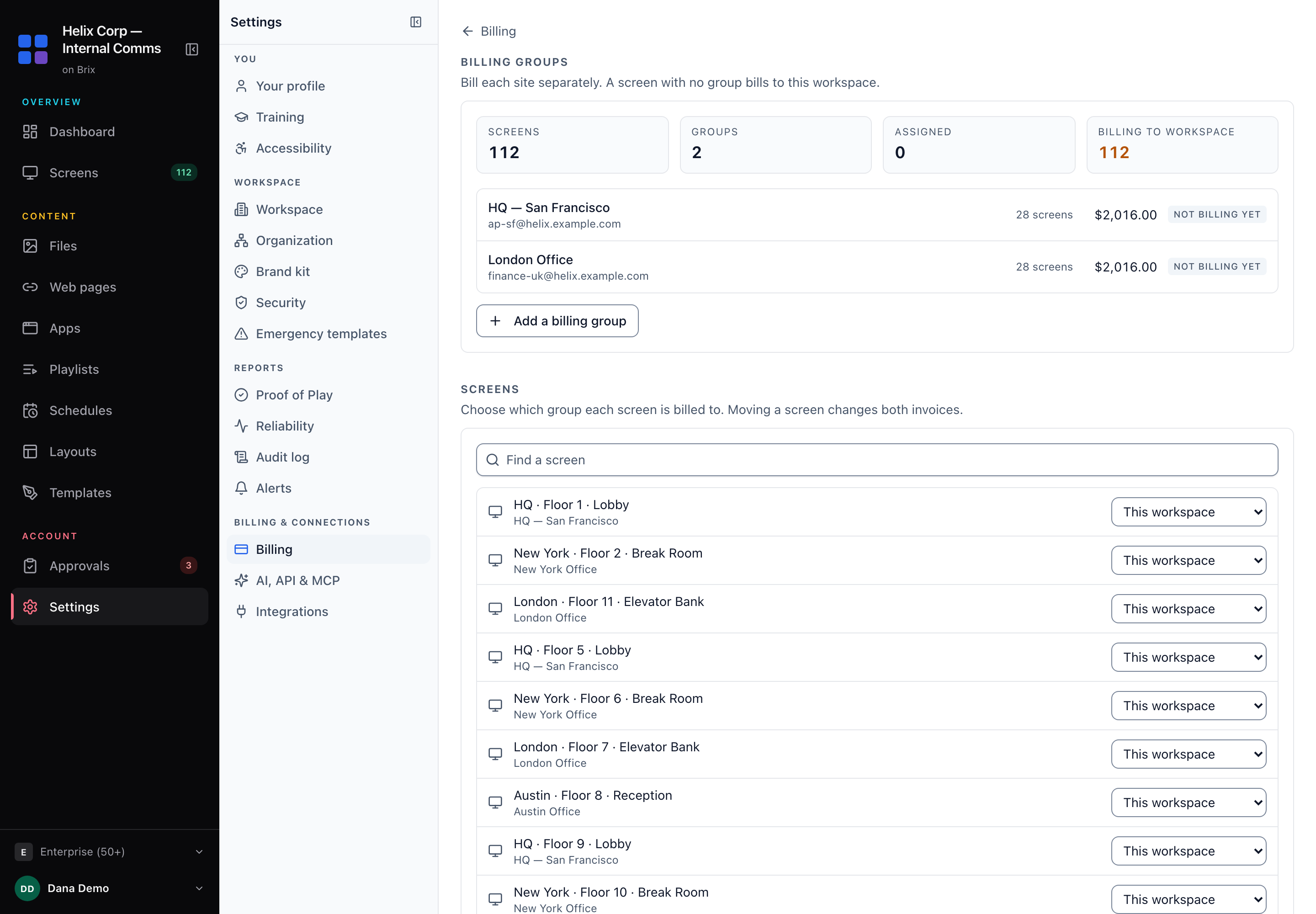
Every site keeps the same content library. Only the invoice splits.
FAQ
Can a business use a Fire TV Stick instead of the Signage Stick?
Brix runs on both. People call both "the Fire Stick", but the Fire TV Stick is a home streaming device. The Signage Stick is built for business screens: it opens your CMS in kiosk mode, so staff cannot use it for anything else.
Does the Signage Stick have a subscription?
No. You pay for the Stick once. The signage software is the subscription: Brix costs $6 per screen per month billed annually, or $8 billed monthly.